
Free Video Converter For Windows
Convert videos for your player, make large files smaller, and trim or crop clips before saving.
- Convert MP4, AVI, MOV And MKV
- Batch Video Conversion
- Reduce Video File Size
- Trim, Crop And Rotate Videos
All features are free. No paid license.
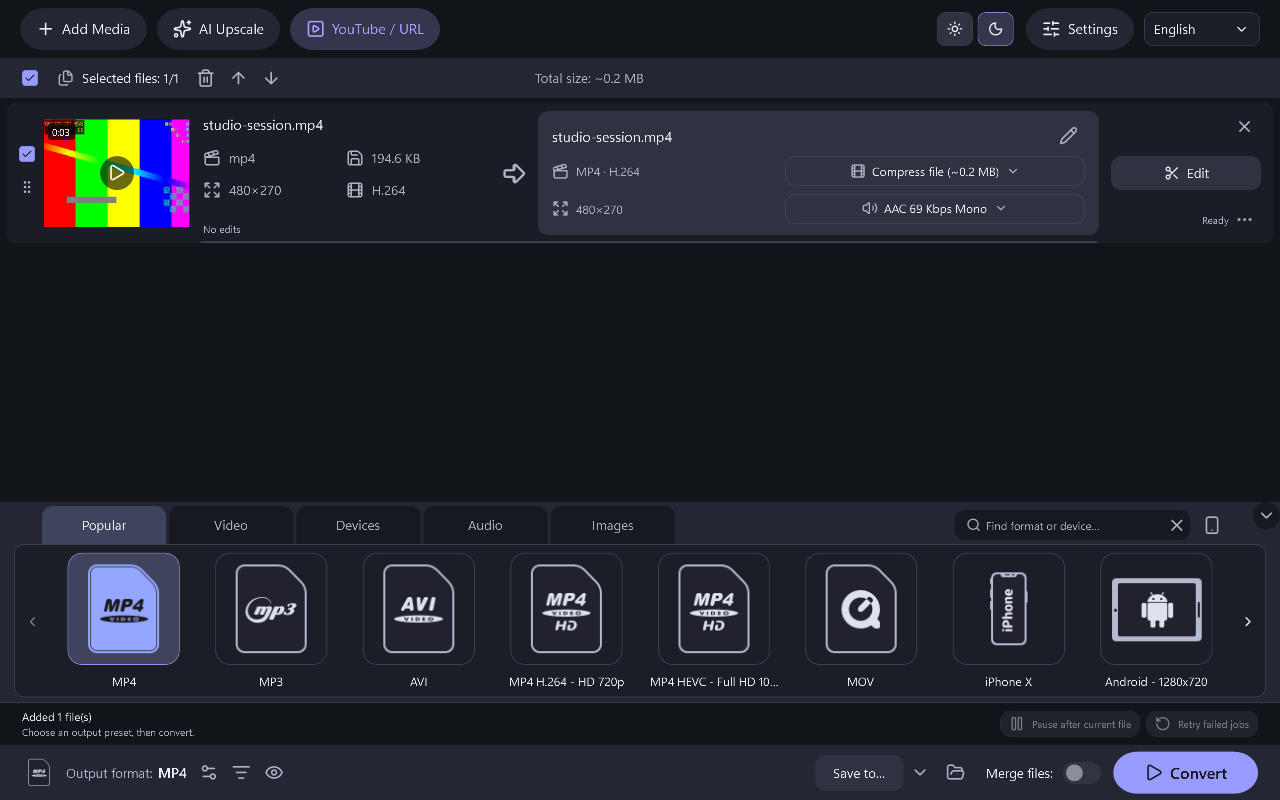
Convert Your Videos In Three Steps
- 01
Add Your Videos
Add one video or a batch of clips to convert.
- 02
Choose Format And Edits
Select the output format, then trim, crop or compress as needed.
- 03
Convert Your Videos
Create the finished files and play them in your chosen app.
Convert, Compress And Edit Your Videos
Convert MP4, AVI, MOV And MKV
Convert between popular video formats using the supplied presets. Pick a suitable container and codec for the application or device where you want to watch or edit the result.
Convert Videos In Batches
Add several videos and apply the output choices each file needs. Start one queue to convert the selected clips in sequence.
Make Video Files Smaller
Compress video by adjusting bitrate or resolution. Use a sample conversion to compare picture quality and file size before processing a long video. Smaller files may have lower quality.
Trim Unwanted Footage
Set new start and end points or keep selected sections in the video editor. Export the useful footage without unwanted introductions, pauses or endings.
Crop And Rotate Videos
Crop the picture and rotate or flip it before conversion. Use the preview to check the framing and orientation of the finished clip.
What Videos Do You Need To Convert?
Download The Free Video Converter
Frequently Asked Questions
Is batch conversion free?
Yes. The current Power Movie Switch release includes batch conversion and its other application features without a paid upgrade.
Will conversion improve a low-quality video?
It can change the format, size or encoding, but it cannot recreate details missing from the source. Increasing the resolution does not add the detail of a higher-quality recording.
Why does an MP4 fail to play?
MP4 is a container, and the video or audio codec inside it must also be supported by the player. Choose a suitable preset and test the converted file in that player.
How can I make a smaller video?
A lower bitrate or resolution can reduce file size, but may also reduce quality. Compare a short sample before converting the full video.
What Windows version is required?
Use Windows 10 build 19041 or newer, or Windows 11, on a 64-bit PC.
Is the research offer compulsory?
No. RelevantKnowledge has a separate official consent screen. You can decline or skip the optional offer and still install and use Power Movie Switch.