
Free YouTube To MP3 Converter
Save YouTube videos and playlists as MP3 files so you can listen offline.
- YouTube Videos To MP3
- Playlist Downloads
- MP3 Up To 320 kbps
- Export M4A, WAV And FLAC
All features are free. No paid license.
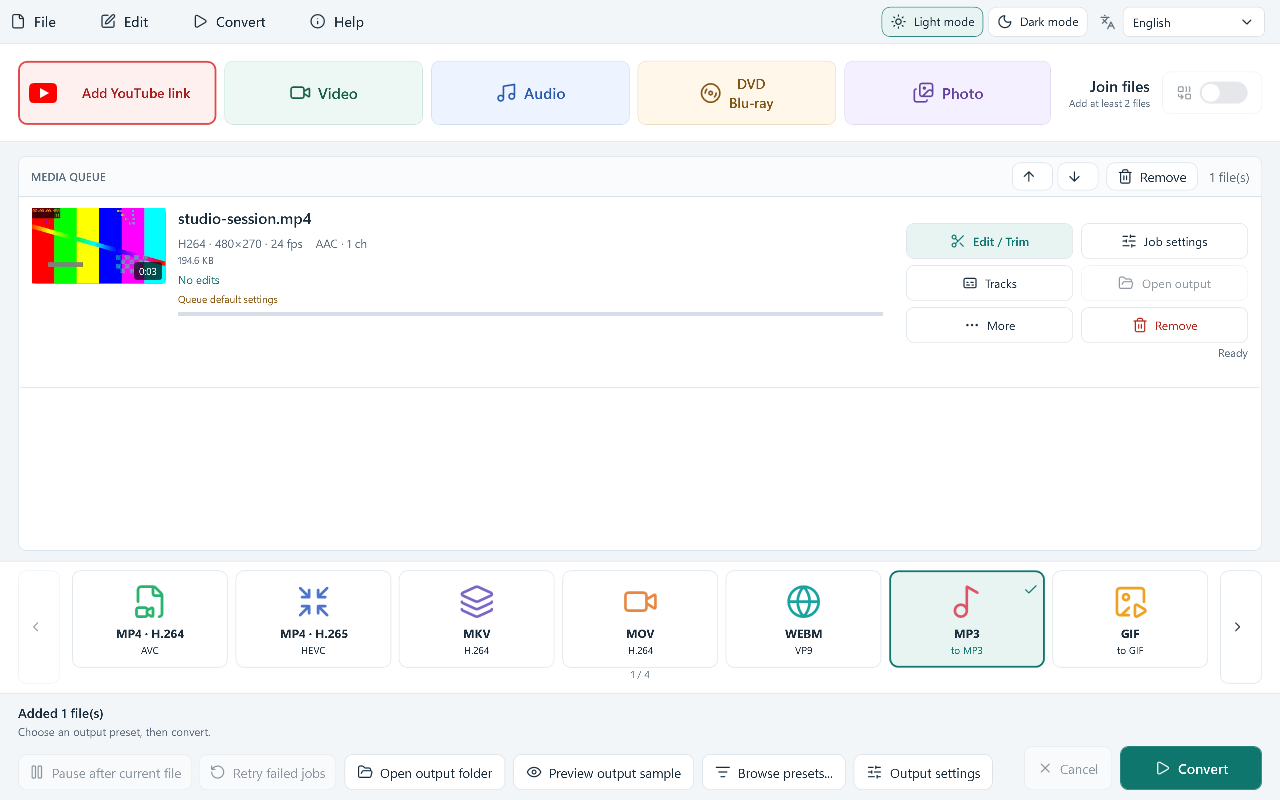
Save YouTube Audio As MP3
- 01
Add A Video Or Playlist
Paste the link; enable playlist import when you want its individual videos.
- 02
Choose MP3 And Bitrate
Select MP3 output and choose the audio bitrate you need.
- 03
Download For Offline Listening
Start Convert to download the audio and save your MP3 files.
YouTube Audio And Playlist Downloads
Convert YouTube Videos To MP3
Download the audio from a supported YouTube video and convert it to an MP3 file. Use your own uploads or recordings you have permission to save. The finished file can play without an internet connection.
Download Playlists In A Batch
Import a playlist and process its available videos in one batch. Playlists of up to 100 items are supported; larger playlists must be reduced first. Unavailable videos may be skipped with a warning.
MP3 Output Up To 320 kbps
Select 128, 160, 192, 256 or 320 kbps MP3 output to balance bitrate and file size. The setting controls the saved file; a higher bitrate cannot improve the original source recording.
Save M4A, WAV And FLAC
Alongside MP3, save supported source audio as M4A, WAV or FLAC. These formats give you different playback and editing options. WAV or FLAC output does not recover quality already lost in the online source.
Download Video As MP4
Choose an available video source and convert it to MP4 when you want to save the visuals as well. Source resolution and access depend on the video; audio-only input cannot produce a video picture.
Download An Audio Copy You Can Keep
Get The Free YouTube To MP3 Converter
Frequently Asked Questions
Can it download every YouTube video?
No. Private videos, access requirements, regional restrictions and changes to YouTube can prevent a download. A link must be available and supported by the current downloader.
Can I convert a YouTube playlist to MP3?
Yes. Enable playlist import to add the available videos as individual items, then select MP3 output and start conversion. Playlists are limited to 100 items; a larger playlist is rejected.
Does 320 kbps make the source sound better?
No. Up to 320 kbps is an MP3 output setting. It does not add detail that is missing from the source. WAV and FLAC output also cannot restore quality lost before download.
Is there a paid MP3 feature to unlock?
No. This application release is free to use. Any access conditions set by the site hosting the video still apply.
Which videos may I save?
Use your own uploads or videos you have permission to download. The software does not grant permission to copy other people’s material or bypass access restrictions.
What should I check if a link fails?
Check that the video is available to you, read the reported error and review the downloader component version. Website changes can require an updated component.
What does the application require?
Use 64-bit Windows 10 build 19041 or newer, or Windows 11, with an internet connection for online downloads and any required component updates.
Is RelevantKnowledge required?
No. Setup presents a separate optional research offer with visible Agree and Decline choices. You can decline or skip it and still install the converter.